Create a dashboard where every marketer can turn AI visibility data into answers on their own terms.
Role
Product Designer
Team
1 Designer
4 Developers
Timeline
5 Weeks
Tools
Figma
Claude Code
Impact
Olympus shipped as AthenaHQ's Q1 dashboard redesign
Configurable widgets and widget-level export replaced the original fixed layout as the default architecture.
2x
Peak daily active users after Olympus shipped. The page users kept leaving became the one they came back to.
25%
Increase in feature adoption from the Proactive Insights Engine.
~2 months
Of engineering time saved by killing a low-impact feature in research before it was built.
The Challenge
Users were leaving the dashboard to find answers elsewhere
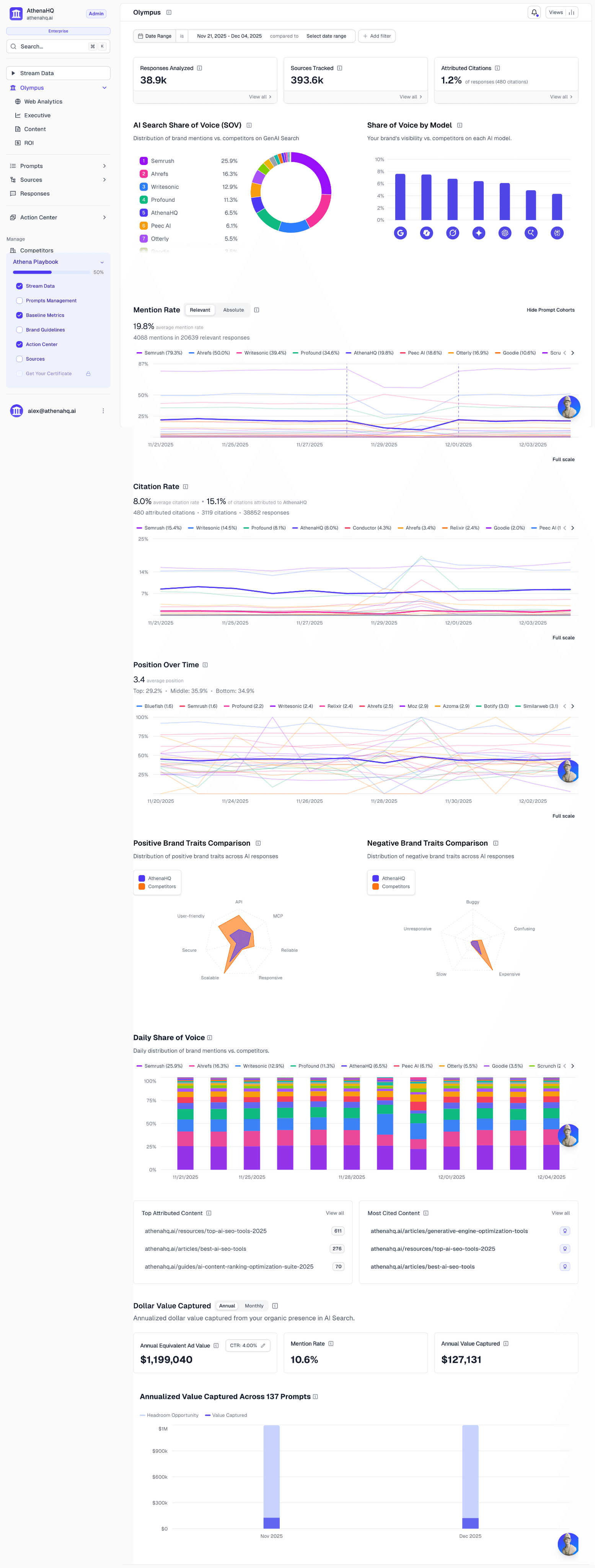
Two signals made the problem concrete. Users were churning off the dashboard onto other pages inside Athena, and the ones who stayed took too long to find what they needed — the answer might be sitting at the very bottom of the page. The dashboard was meant to be home base, but it was the page people left fastest.
Problem 01
No clear hierarchy. Every module competes for attention.
Problem 02
One long stack of modules. Answers could sit at the very bottom.
Problem 03
No role-based path for CMOs, SEOs, or analysts.
Problem 04
Hard to turn what you see into a report teams can reuse.
Scanning
Finding a single answer could mean scrolling the entire page.
Investigation
The same dashboard tried to serve high-level monitoring and deep analysis at once.
Reporting
There was no clean way to turn insight into an artifact for decks or recurring updates.
What users needed
The data each person needed depended on their role. The dashboard gave everyone the same fixed page.
CMOs
Needed a fast pulse on brand momentum without wading through the full system.
SEOs
Needed prompt-level visibility so they could investigate what changed and why.
Analysts
Needed reusable outputs they could bring into recurring leadership updates.
Three jobs the redesign had to nail
Every design direction was judged against the three things users actually came to the dashboard to do.
01 — Monitor
Get a read on brand momentum in seconds, not scrolls.
02 — Investigate
Dig into what changed and why without leaving the page.
03 — Report
Turn what you see into something leadership can use.
Solution
A strong default that works out of the box
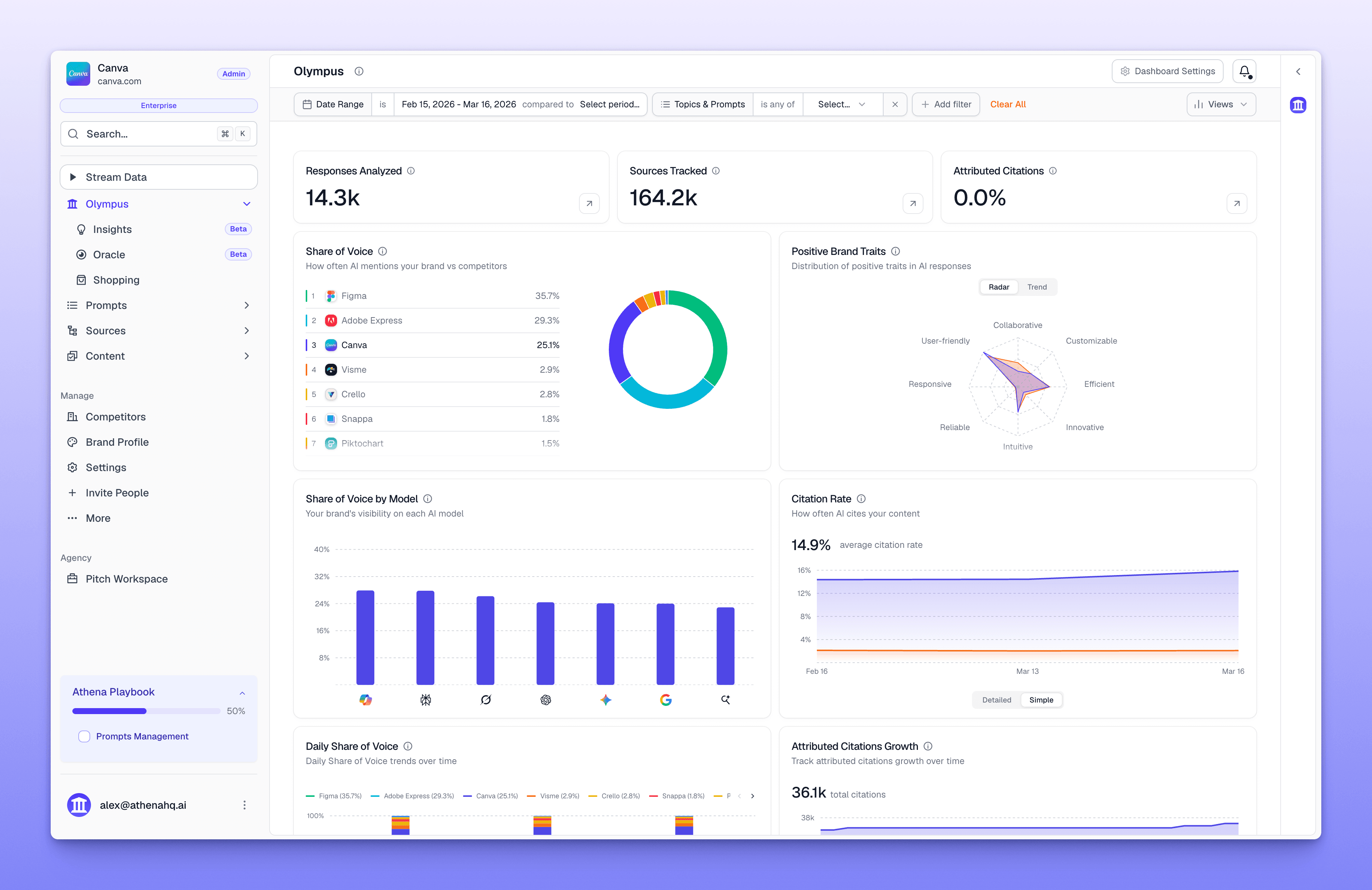
Olympus opens with a structured overview: key metrics first, deeper modules below. Users can get oriented immediately without configuring anything.
One system for different views and roles
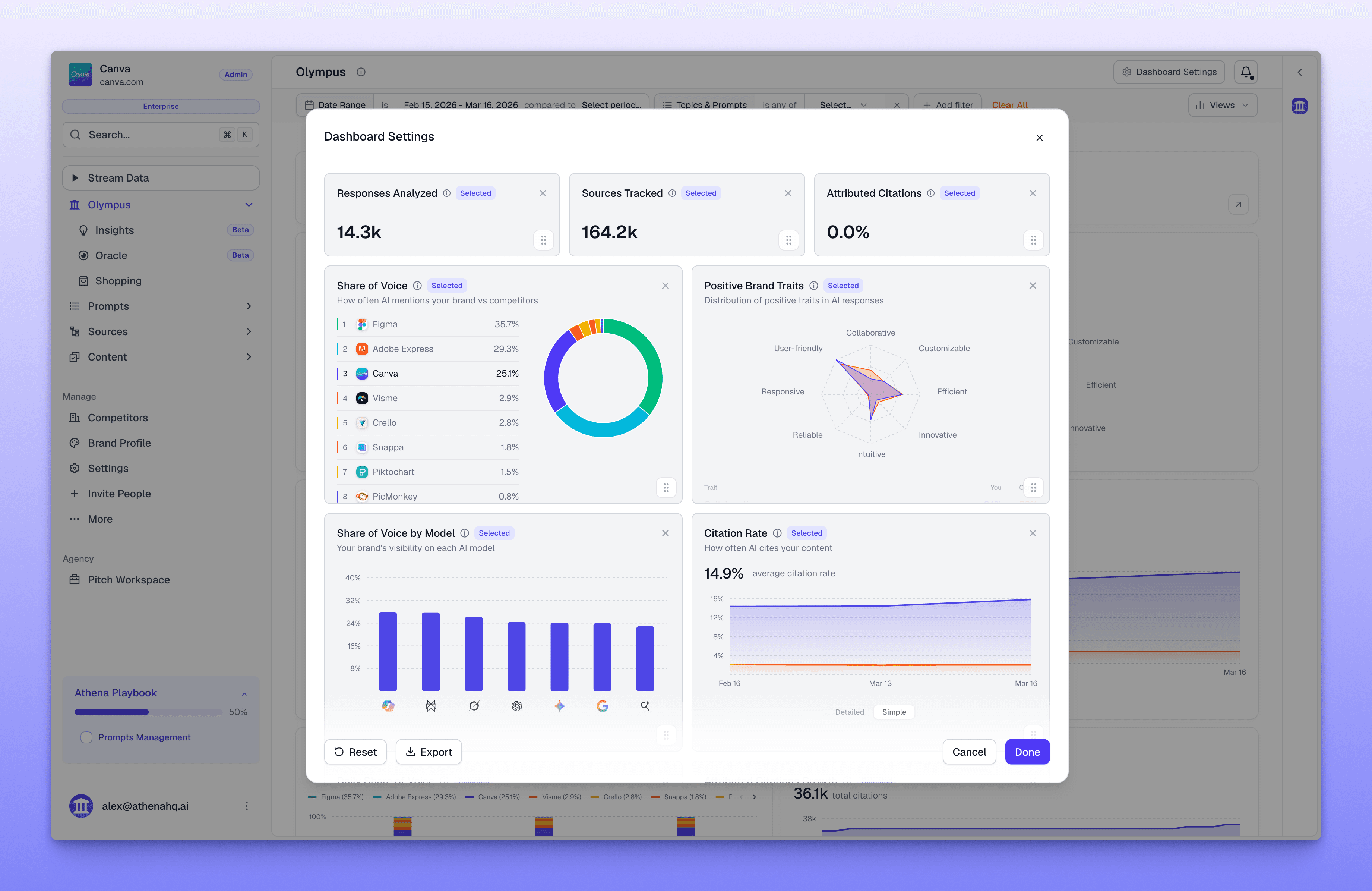
Rather than creating separate dashboards for CMOs, SEOs, and PMMs, the system lets teams select, reorder, and remove widgets to match the questions they care about most.
From dashboard to presentation in one click
The key feature was not the export button itself. It was the artifact users got from it: clean widget graphics they could drop straight into decks and recurring updates. Reset kept that workflow low-risk.
Inside Athena
then
What export creates
Share of voice widget
Brand traits widget
Slide deck
Key Decisions
Useful by default, customizable when needed
The dashboard has to feel useful before anyone touches settings. Customization is additive, not required.
Each widget helps tell the story
Each module plays a role: summarize, compare, track momentum, or investigate. The point was not just to show data, but to make it easier to communicate.
Communication over analysis
The biggest unmet need was getting insights out of the product and into decks, docs, and recurring updates.
Safe to experiment
Reset returns users to a known baseline. Flexibility should feel approachable, not risky.
Learnings
What this project taught me
Flexibility and usability pull against each other in B2B.
Every role wanted more on screen. The hard part was holding the line: strong defaults first, customization as an opt-in, and saying no to configurability that would recreate the clutter we were removing.
Research is cheaper than engineering.
A full report-generation flow tested poorly before a line of it was built. Users didn't want a new artifact — they wanted widgets they could drop into existing decks. Killing it early saved roughly two months of engineering time.
AI accelerated direction, not decisions.
Claude Code helped me move faster through interface directions. The real work was still defining the product logic and the trade-offs worth making.