700 unread messages. You don't catch up. You just want the number gone.
Role
Product Designer
Team
Shania Chacon
Timeline
4 Weeks
Tools
Figma
The Mission
Helping server-heavy Discord users decide what's actually worth their time.
Discord is built around communities but it was never built for coming back to them. Once activity piles up across channels, most users do the same thing: mark all as read without opening a single message. My goal was to design a feature that makes re-entry feel worth it, one decision at a time.
Key Insight
Users have already written off most of their servers.
Users actively check 3 to 5 servers out of dozens they've joined. The rest exist in a permanent backlog that never gets opened. The problem isn't volume. It's that the cost of figuring out what matters feels higher than the value of finding out.
Key Insight
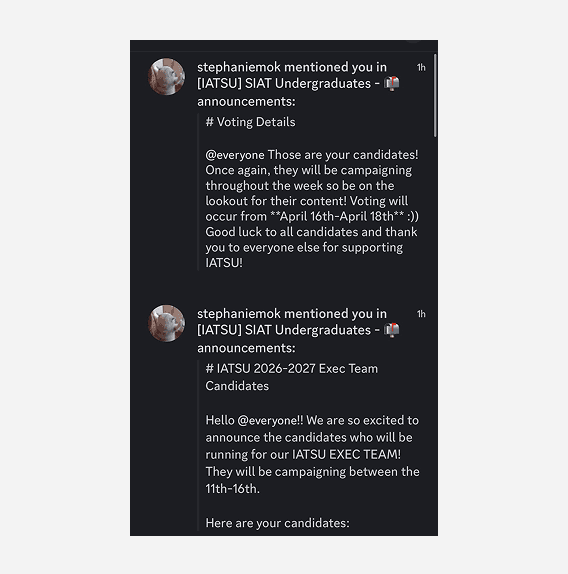
When everything looks urgent, nothing gets read.
An @everyone ping and a direct mention look identical in Discord today. The only way to know if something actually matters is to open it manually. Most people don't. They mark it read and move on.
Solution
One decision at a time.
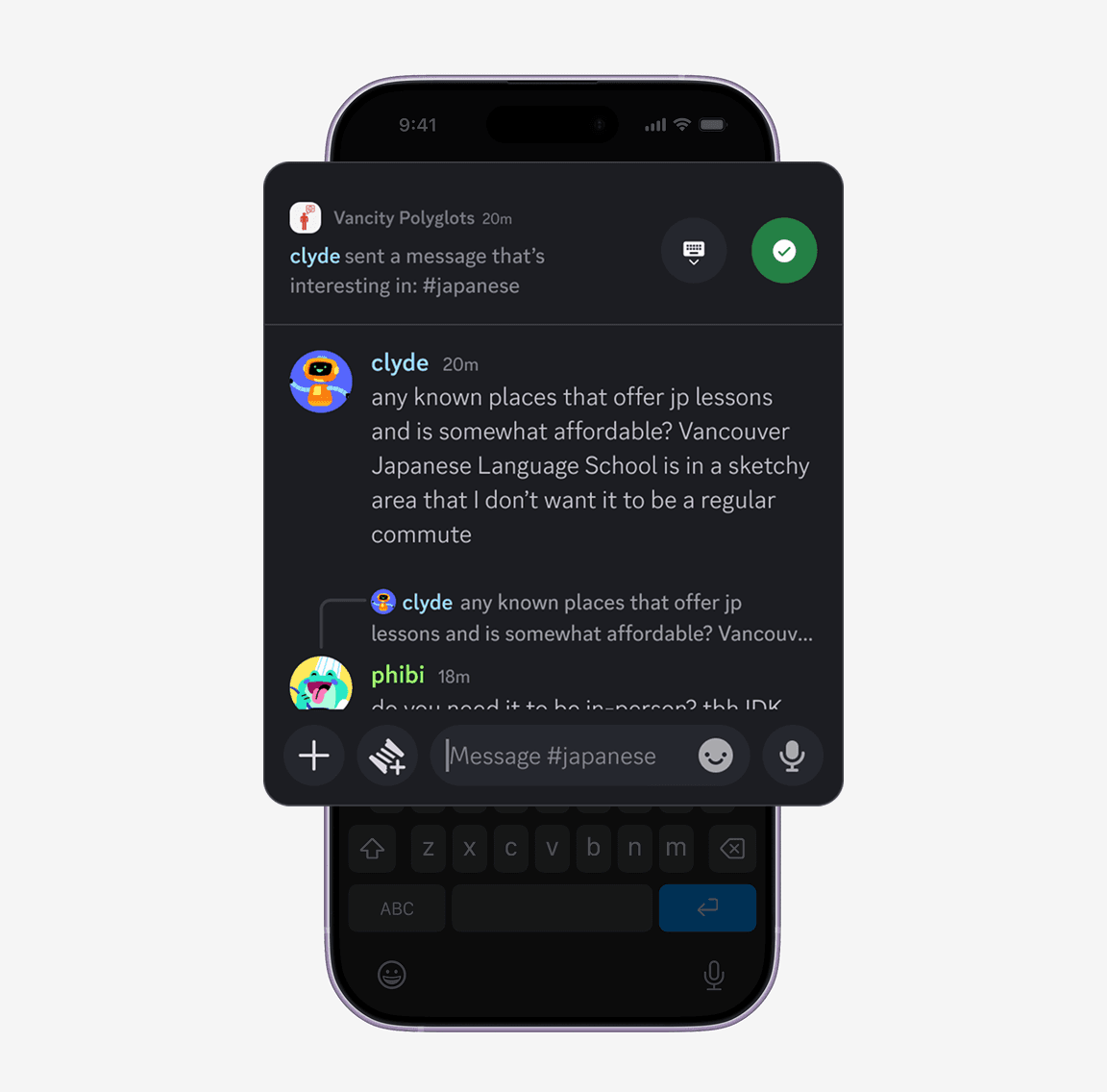
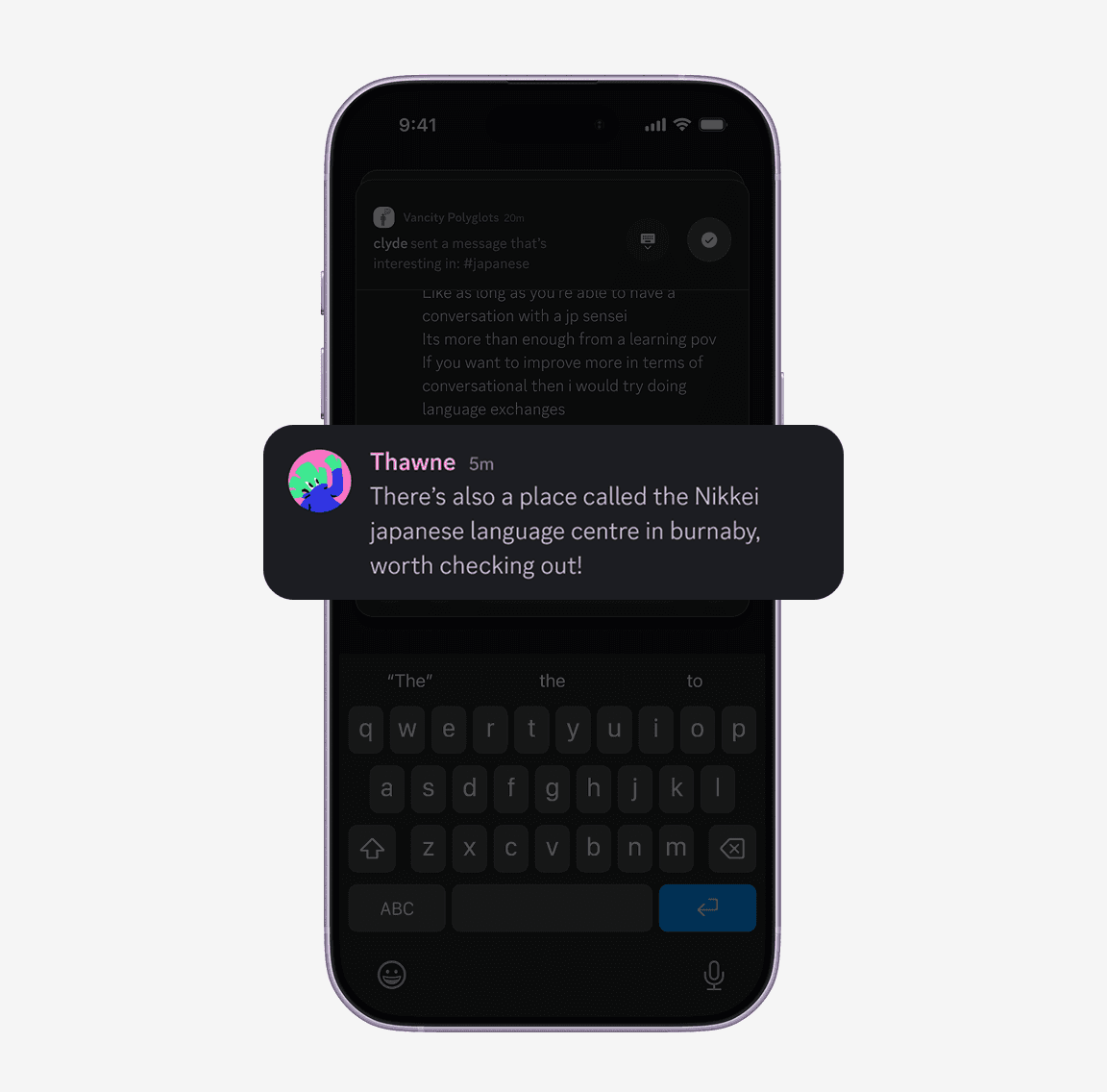
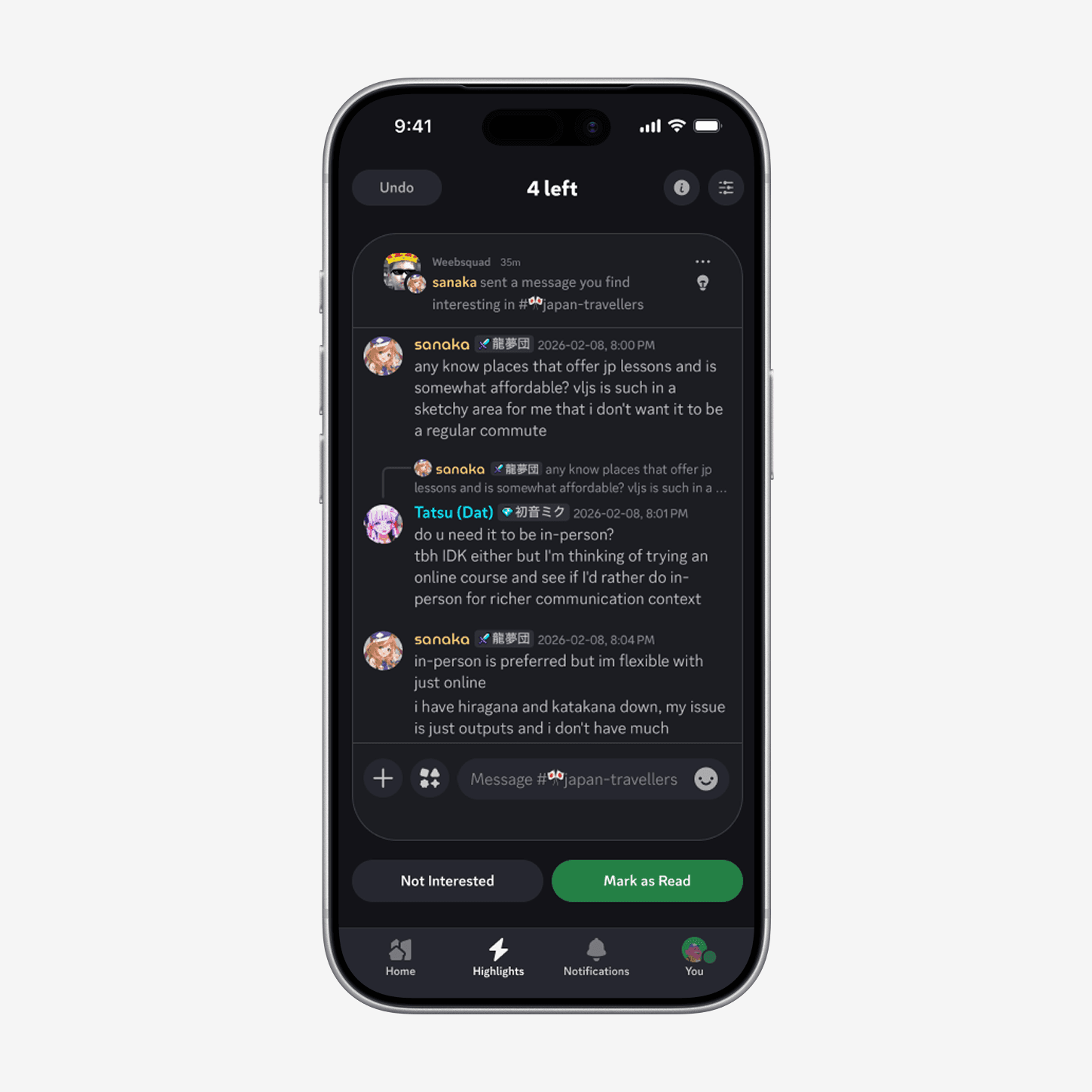
Highlights surfaces one missed item at a time. Each card shows who posted, what they said, and how active the thread feels. That gives users enough signal to make a quick call. A visible count like '4 left' makes the backlog feel bounded instead of endless.
Solution
Each card gives enough context to act.
Instead of showing a full conversation, the card previews who posted, what they said, and how active the thread feels. That gives users enough signal to judge relevance without recreating the overload inside the card itself.
Solution
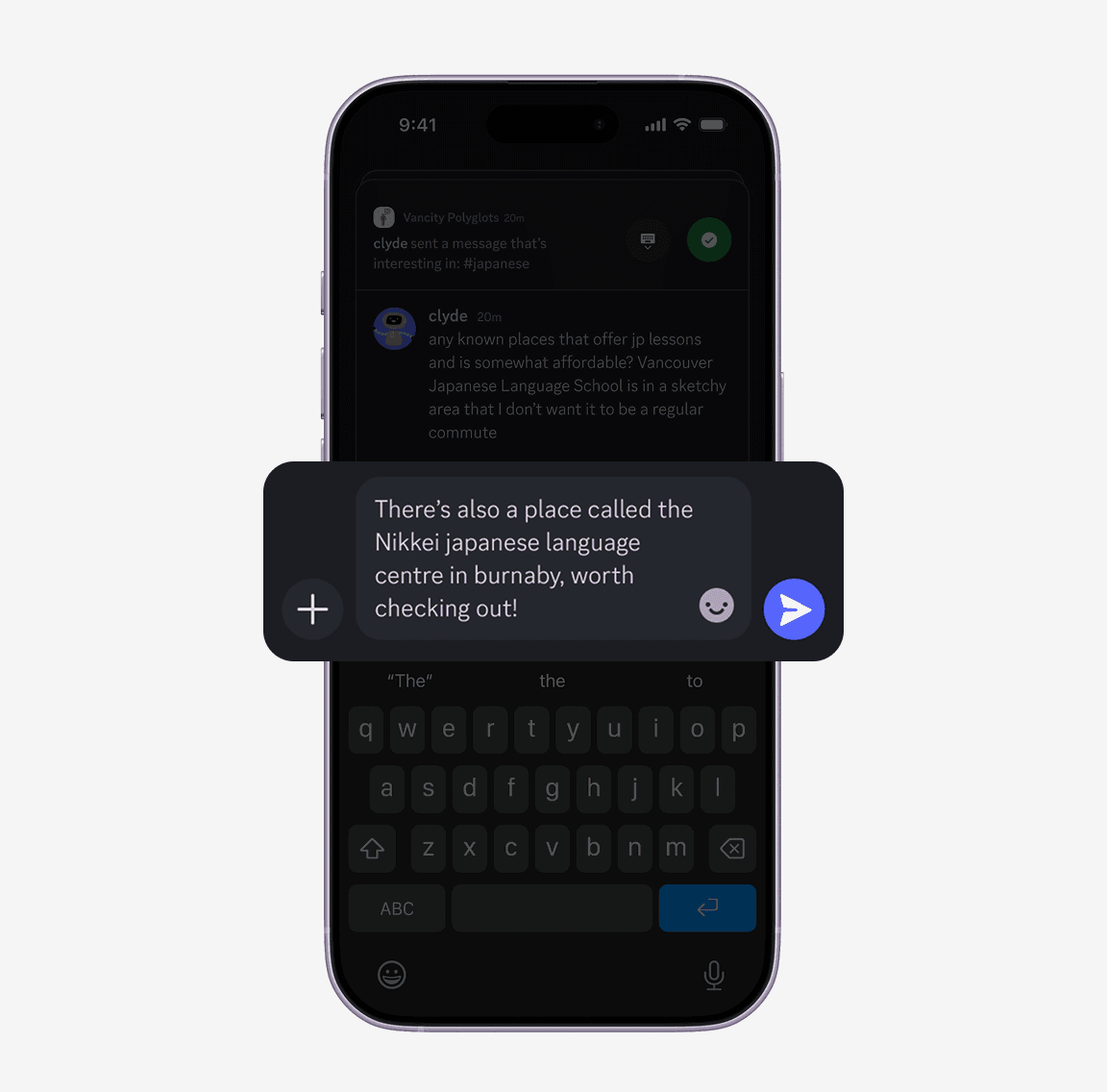
Users can shape what keeps surfacing.
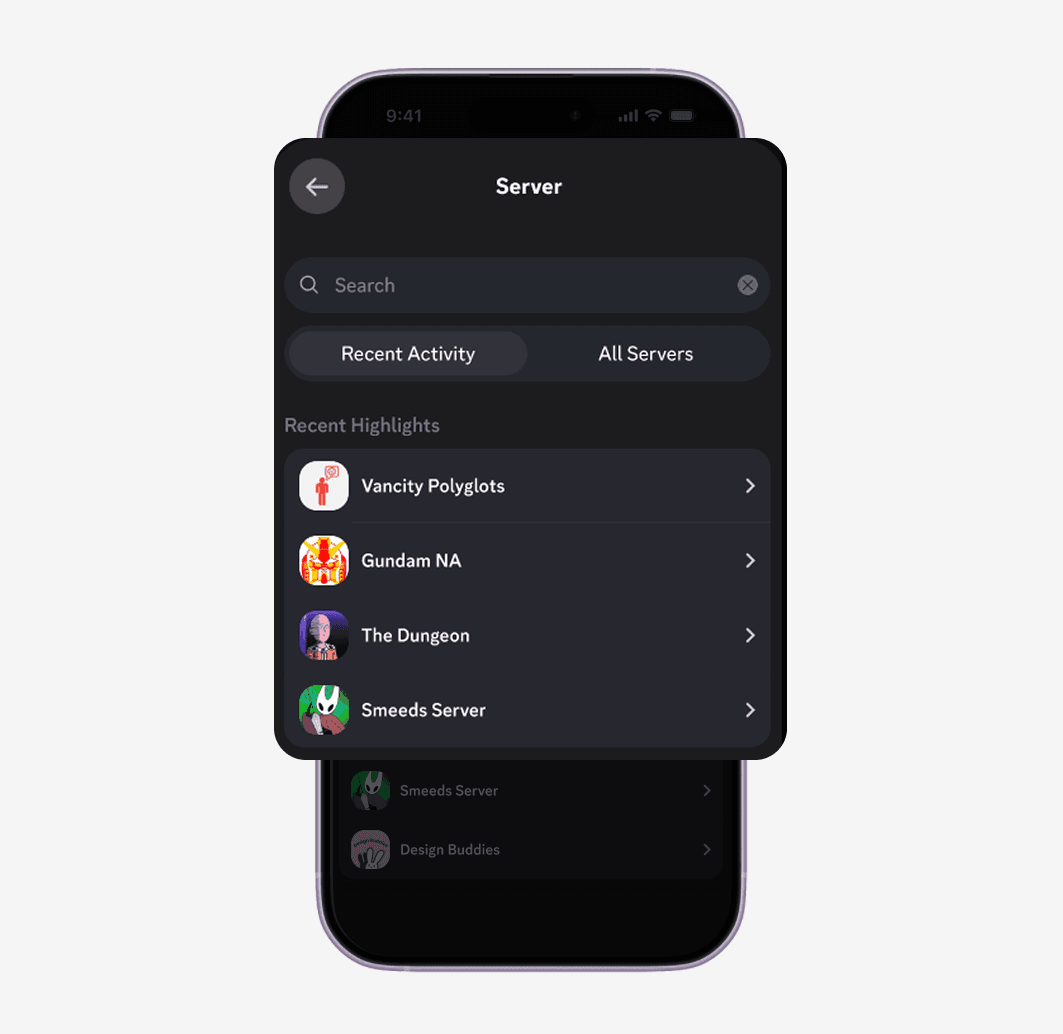
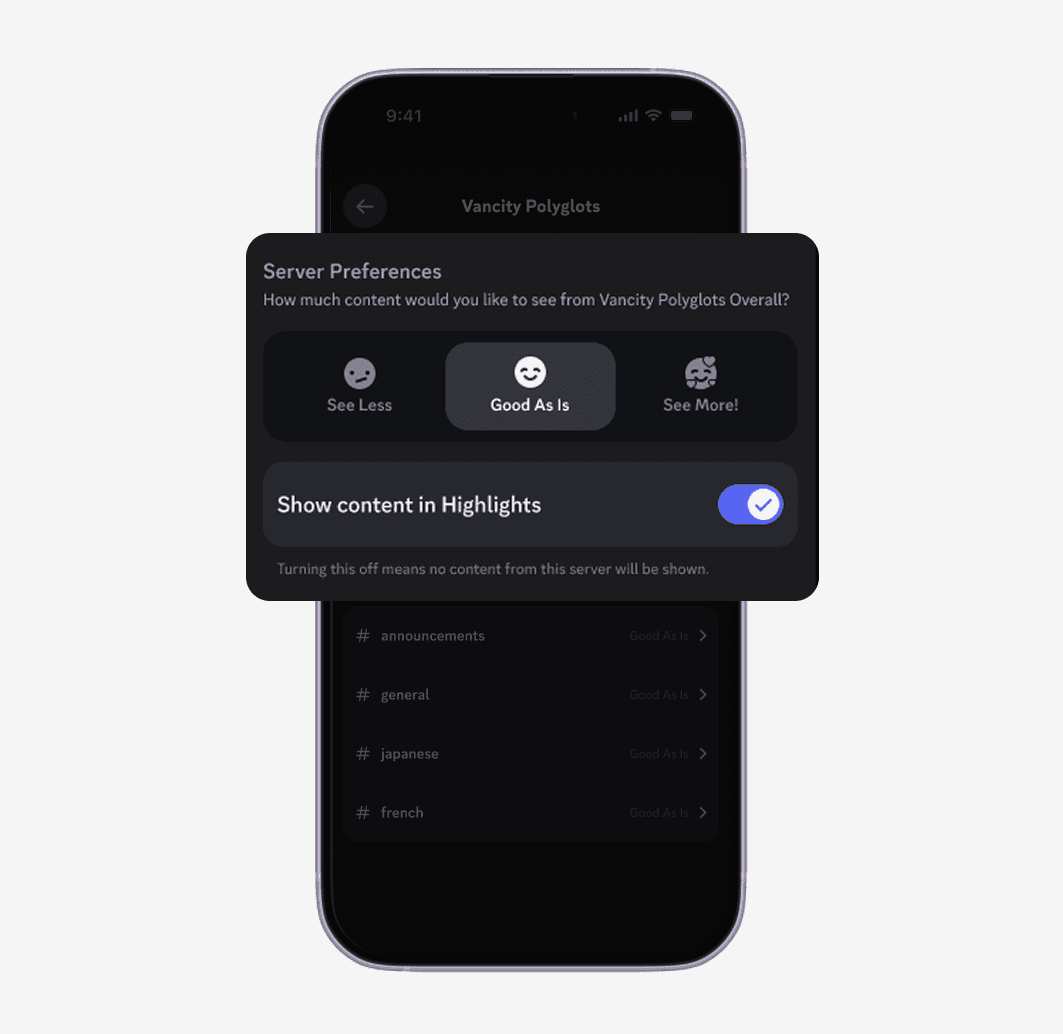
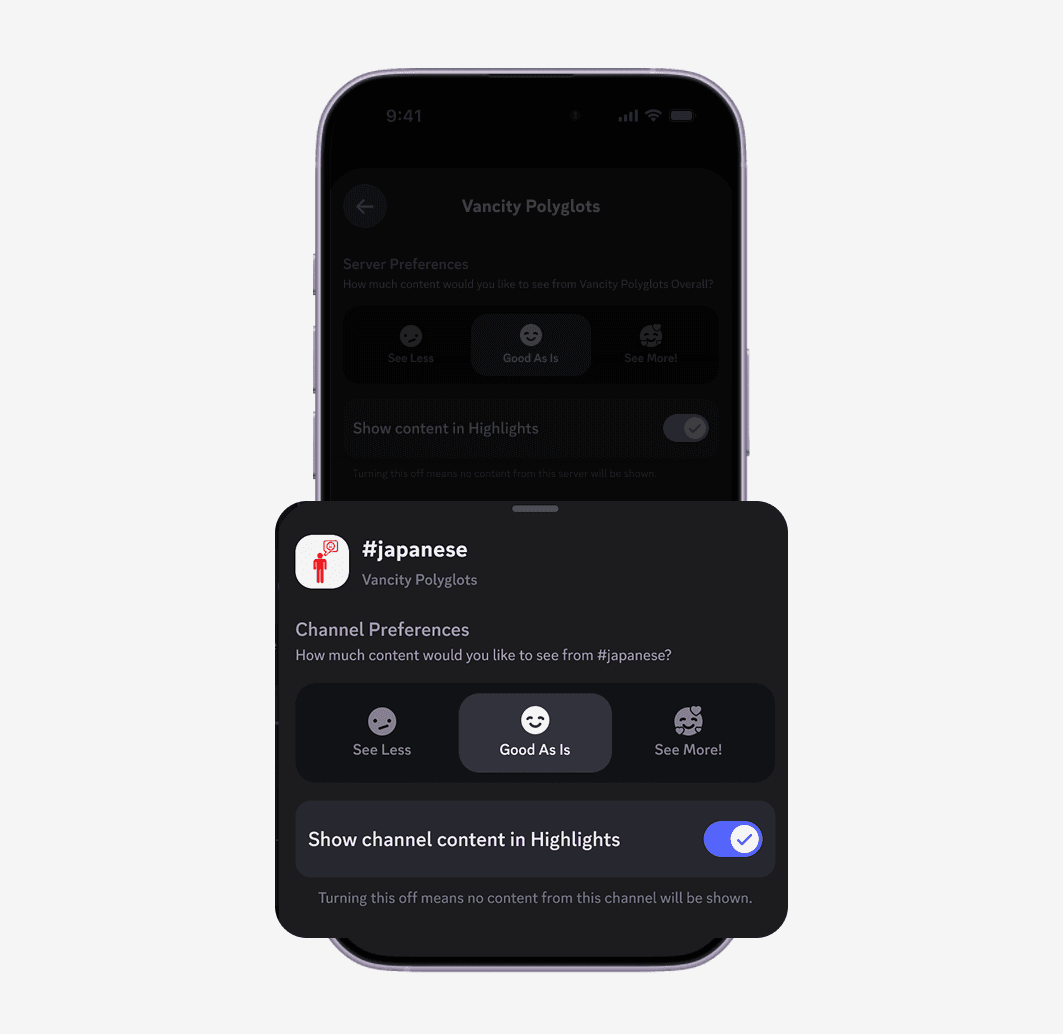
Highlights makes an initial relevance guess but users stay in control. Server level and channel level settings let them tune what appears over time instead of relying on a ranking system they can't see or adjust.
Design Decision
Showing the why, not just the what.
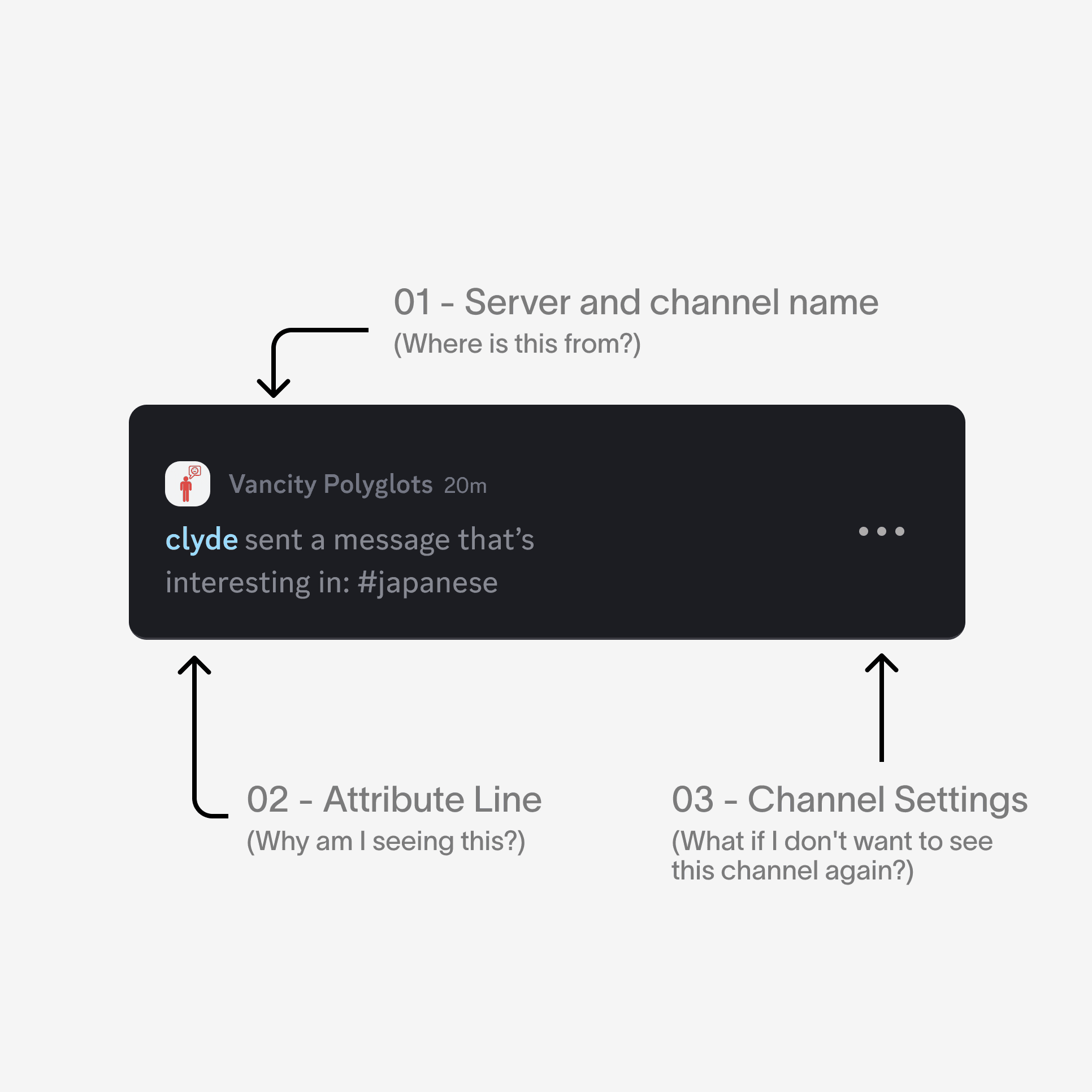
Every card surfaces a reason alongside the message. Not just what was posted, but why Highlights thinks it matters to you. If that reason is wrong, the three dots let you adjust that channel's preferences directly from the card without hunting through settings. Transparency and control in the same gesture.
Research
Where does re-entry break down?
I ran 8 interviews and 63 survey responses with heavy Discord users, focused on four questions.
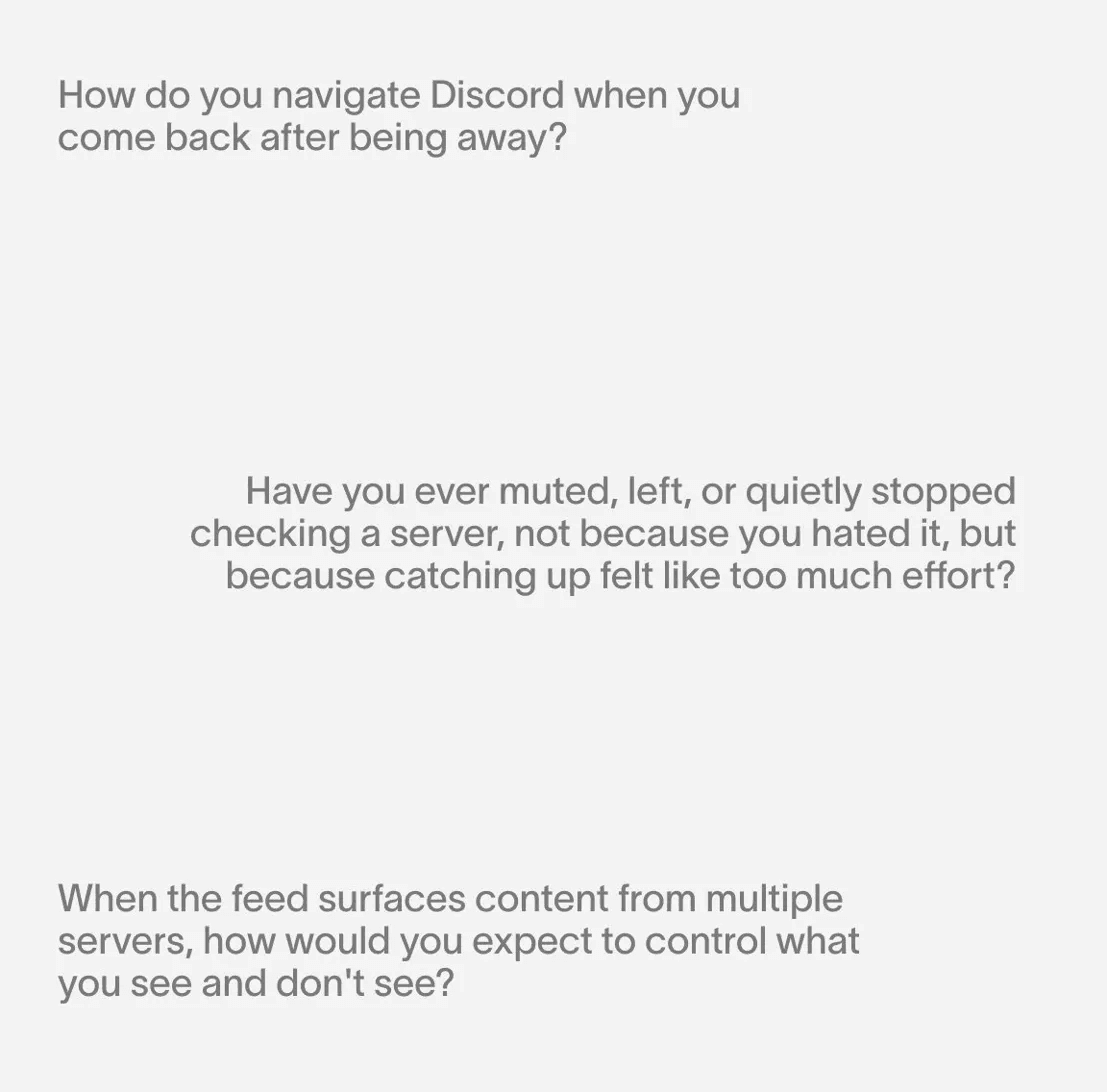
What I heard wasn't a notification problem. It was a triage problem.
Research
Three patterns that shaped the design.
The backlog number itself creates paralysis.
Once it crosses a certain threshold, most users stop trying entirely.
People skim. They don't read.
A glance at who posted, a keyword, a timestamp. That's all it took to decide if something was worth opening.
Users wanted a say in what surfaced.
Less noise wasn't enough. They wanted to shape what kept appearing without having to mute entire communities.
Our North Star
The problem wasn't missing messages. It was that deciding what's worth reading felt harder than just giving up.
Solution Ideation
First iteration: right intent, wrong execution.
The first iteration stuffed the whole conversation into one full-screen card. Without a clear hierarchy, users had no entry point — the card just looked like more of what they were trying to escape.
Solution Ideation
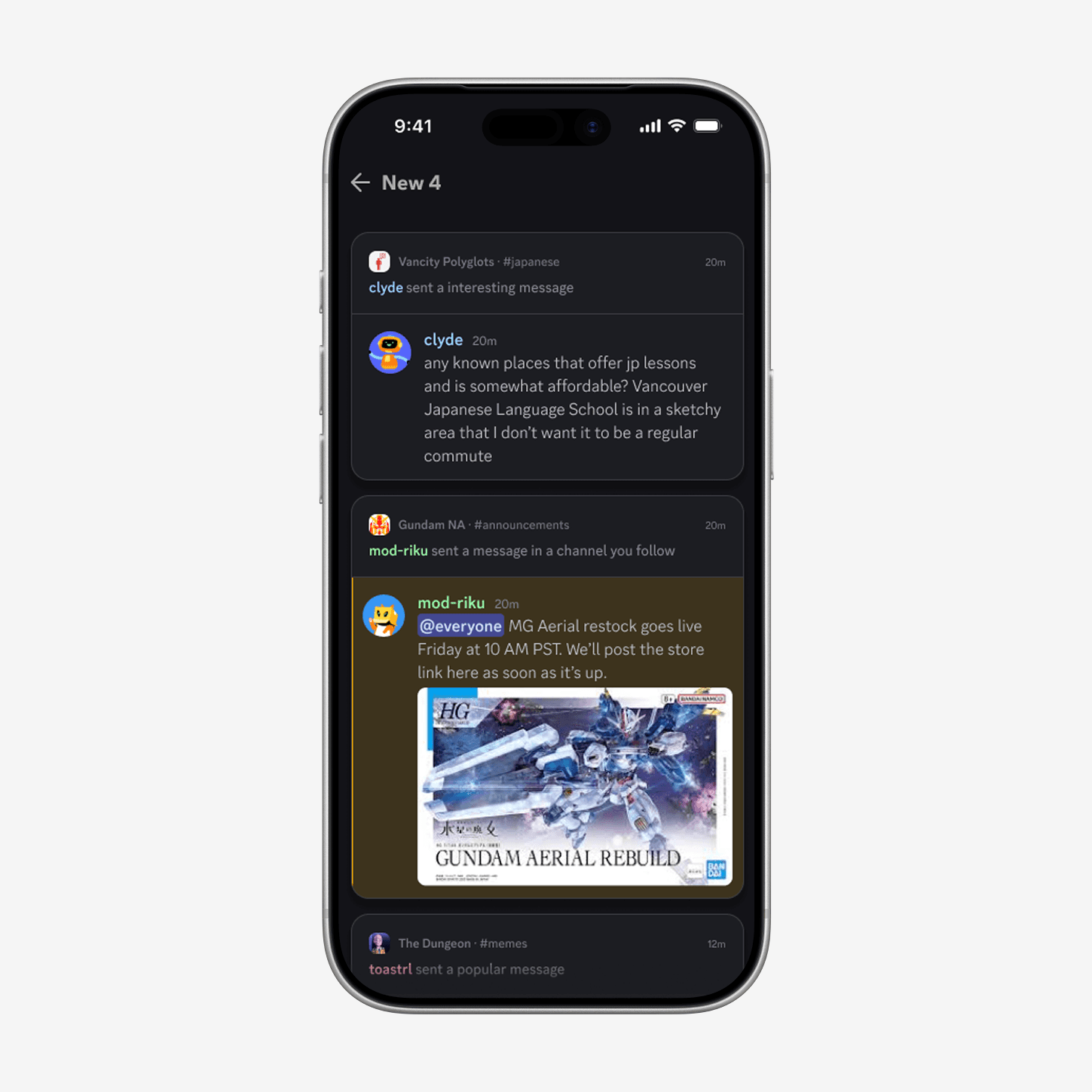
Faster to skim, harder to trust.
An earlier exploration used a stacked list view. Users moved through it quickly but felt like they might miss something important. Without enough context per item, skimming fast came at the cost of confidence.
Testing
“Is this not already on Discord?”
That question came up across multiple sessions without prompting. Participants assumed it must be in beta. One said it looked like it already belonged in the app. That kind of reaction is the closest a concept test can get to a green light.
The filtering screen scored highest across the board. Users called out the server and channel level granularity as the most useful part. One participant said they would set it up immediately. Another noted that silencing a server without leaving it solved something they had been working around for years.
The main friction was icon clarity. The lightbulb and fire indicators confused several participants before any context was given. Once explained they landed quickly, but relying on explanation is a gap worth closing in the next iteration.
Highlights average
4.2/5
Filtering average
4.8/5
Reflection
Designing for triage is really designing for trust.
The framing mattered as much as the interface.
The most important shift in this project wasn't a design decision. It was realizing the product I was designing wasn't a catch-up tool. It was a triage tool. That reframe made every subsequent decision easier to justify and harder to second-guess.
Trust grows when the system is legible.
Users were comfortable with Highlights making an initial guess, but several asked why a specific message was shown to them. The Not Interested signal is a start, but a feature like this only earns long term use if people feel the feed is getting smarter. The ranking logic has to be legible through small signals so users understand why something appeared rather than just accepting that it did.